× Fragmented windows
× Sessions with no visible relation
× Projects competing for attention
× Manual CLI and IDE switching
× Terminal-by-terminal recovery
× Android outside the workflow


AGENTIC ORCHESTRATION ON WINDOWS
Torch brings agents, terminals, files, IDEs and devices into a spatial canvas. Each project keeps its own context, connections and pace.
PROOF, NOT PROMISES
WORKSPACE RESTORATION
Reopen your project map and restore available sessions in your workspace.
Maestro distributes work. Agents respond. Cables show direction. The canvas makes ownership and context visible.
WITHOUT TORCH / WITH TORCH
× Fragmented windows
× Sessions with no visible relation
× Projects competing for attention
× Manual CLI and IDE switching
× Terminal-by-terminal recovery
× Android outside the workflow
✓ One connected canvas
✓ Activity with origin and destination
✓ Workspaces that keep running
✓ Providers and IDEs in one project
✓ Batch session restoration
✓ Device Portal beside testing agents
EVERYTHING YOU NEED
Terminals, file trees, notes, prompts, IDEs and devices become connected parts of the operation.
Place terminals, files, notes and Portals on the canvas.
Use cables to make context, origin and destination explicit.
Workspaces preserve the map and recover sessions that remain available.
CONCURRENT WORKSPACES
Each workspace preserves runtimes, identity, agents and state.
Learn more3D FLOORS
Ground and Floors organize parallel contexts over Git worktrees.
Learn moreACTIVITY AND RECOVERY
Per-workspace counters, notifications and batch restore make sessions easy to resume.
Learn more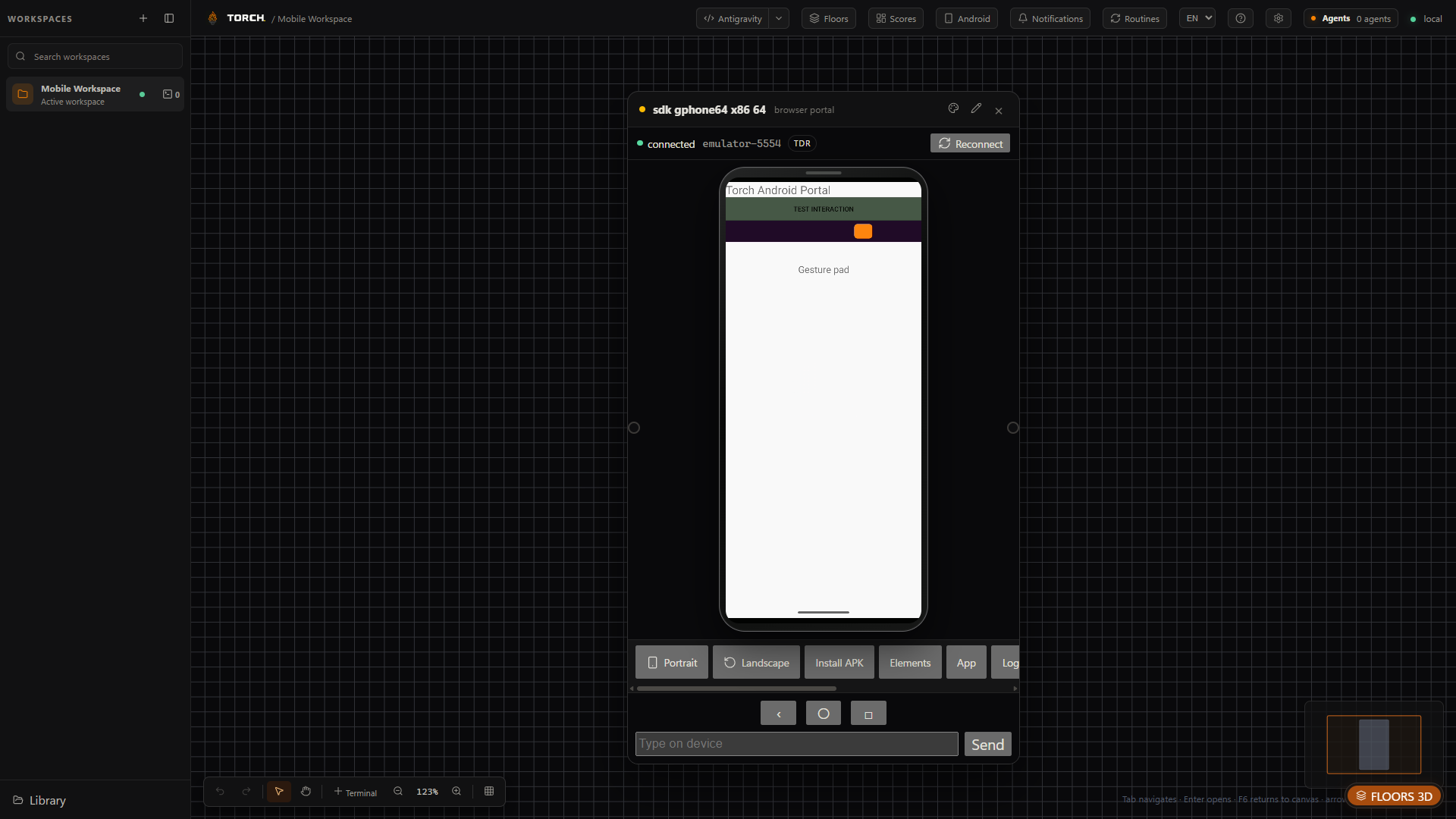
DEVICE PORTAL
Emulators and devices appear as controllable Portals alongside testing agents.
Learn moreWINDOWS-FIRST
Torch is an Electron Windows app using ConPTY, local processes, MSIX packaging and accelerated rendering.
LOCAL-FIRST, WITH CLEAR LIMITS
The Torch canvas, organization and Bridge operate on the desktop. AI providers and third-party services may process data under their own policies.
SECURITY CONTROLS
STRAIGHTFORWARD PLANS
Free is available. Foundry will arrive at US$1.99/month as a monthly subscription.
Torch Free
US$0Explore and use the Torch core.
Download Torch FreeTorch Foundry
US$1.99per month · coming soonFuture monthly subscription.
| Feature | Torch Free | Torch Foundry |
|---|---|---|
| Functional features | Included | Included |
| Workspaces | 1 | Unlimited |
| Active devices | 1 | 2 |
| Self-service replacements | Not applicable | 2 every 30 days |
| Updates | Available Free line | While the subscription remains active |
| Billing | None | Monthly, when available |
DIRECT ANSWERS
Product, compatibility, plans and recovery, with current limits stated clearly.
No. It organizes the work around it and can open a project in an available IDE you choose.
Torch organization is local-first. Connected CLIs and providers may transmit data under their own terms.
The public interest list is open. Applying does not guarantee an invitation; Torch Preview access is by invitation, temporary and revocable.
An isolated area connected to a workspace, designed for a line of work without mixing changes.
Yes. Torch discovers and coordinates tools you install. Accounts, subscriptions and authentication remain under each provider.
Torch is Windows-first and the current package targets Windows 10 and 11 x64. Other operating systems are not advertised as compatible.
Free keeps functional features available with one workspace. Reaching the limit never deletes existing projects or files.
Foundry will arrive at US$1.99/month and unlock unlimited workspaces on two devices while active.
Foundry will allow up to two self-service device replacements every 30 days.
No. Each environment has its own strategy and depends on the tools and requirements available on your computer.
An Android device or emulator available through ADB. SDKs, drivers and permissions remain user-managed.
Torch detects persisted sessions and offers batch restore. Recovery depends on the shell, provider and environment remaining available.
BETA
Register interest in Torch Preview. Confirmation does not guarantee an invitation.
Explore the BetaTORCH PREVIEW
Confirm your email to register interest. This does not guarantee an invitation.